Skip to content
Browser + System

Browser Plugins

Browser plugins that solve real problems - and at the same time work for your business. Integration with systems, access to data in the context of the page, validation, suggestions - all right where the user works. And a publicly available plugin? It can become a measurable user-acquisition channel.
3 browsers Chrome, Edge and Firefox from one codebase
1 install rolled out company-wide by IT
24 h first response on business days
The challenge

When does a browser plugin solve the team's problem?

Data not available where it's needed. Manual transfer of information between the system and the browser. Errors caused by users having to remember a procedure instead of being guided through it. And from a business perspective - the lack of a tool that delivers value to potential clients and simultaneously builds a relationship with the brand.

A browser extension is a lightweight application running in the context of the browser - Chrome, Edge, or Firefox - that extends its functionality with access to data, automation of repetitive tasks, and integration with company systems. Hexacode builds custom plugins both as internal tools for teams and as public products that can build interest in a brand or product.

When does a browser plugin solve your team’s problem?

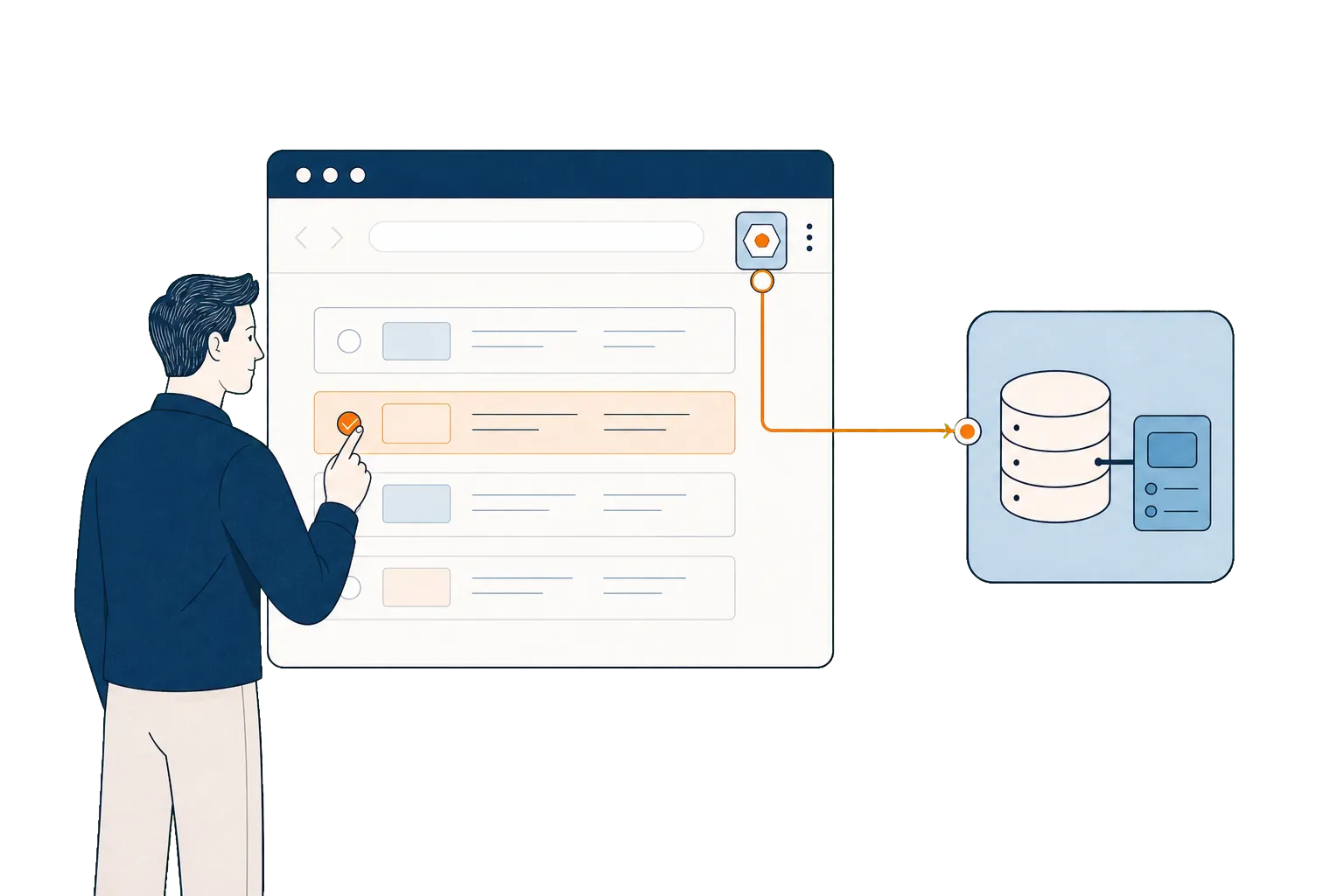
A browser plugin solves one specific problem - it gives the user data and functions exactly where they work, without switching between tools. Instead of opening a separate system, copying data, and returning to the browser - information appears in the context of the page you’re currently on.

This makes sense in two scenarios. First: your team needs data from an internal system while working on external pages (listing portals, client systems, industry services). Second: you’re building a public tool - a plugin in the Chrome Web Store that solves a specific industry problem and in doing so attracts users to your platform.

In both cases, the advantage of a plugin over a separate web application is the same: the user doesn’t have to leave the context of their work. Data from the system appears as an overlay on the page they’re currently working on - no new tab, no logging into another tool, no copying identifiers between windows.

Plugin as a brand touchpoint

A publicly available plugin that delivers real value - validates data, automates a repetitive task, displays information in context - can become a tool people reach for regularly. The business value is measured through installs, active use, and transitions to the product, not by the store listing alone.

For HistoriaSzkod.pl we built a Chrome plugin that automatically detects VIN numbers on automotive listing pages. The user checks a vehicle’s damage history with one click - no copying, no switching tabs. 90% reduction in verification time.

Security and Manifest V3

Plugin security isn’t abstract - it’s concrete architectural decisions made during the design phase. We build exclusively to the Manifest V3 standard, which is the current requirement for Chrome and Edge. This standard enforces a minimal permissions model: the plugin requests access only to the resources it genuinely needs, not to “all pages and data”.

In practice, this means a few principles. First: the principle of least privilege. If the plugin needs to operate only on the pages of a specific service, it doesn’t request access to all browser traffic. Second: user data is processed locally wherever possible, and when server communication is necessary - we encrypt it and minimise the scope of information transmitted. Third: every public plugin goes through review in the Chrome Web Store - Google verifies permissions, code, and privacy policy before allowing distribution.

For internal plugins (not publicly distributed), we offer distribution through managed browser policy within the organisation - IT can enforce installation on company devices without needing to publish to a store. This is the typical model for companies that want to control distribution and access to the tool.

Public plugins are distributed through the Chrome Web Store (Chrome and Edge share the same store) and Firefox Add-ons. We manage the publication, update process, and review communication - the client doesn’t need to know the specifics of the approval process in each store.

Maintenance and development

We build plugins compliant with Manifest V3 - the current Chrome standard. We support three browsers: Chrome, Edge, and Firefox. We maintain them after deployment, responding to changes in source system APIs and browser updates. The extension doesn’t stop working when an external tool is updated - that’s part of our maintenance responsibility.

Internal plugin - typical scenarios

In addition to public plugins, we build extensions for internal use - tools that standardise team workflows and reduce errors. Several scenarios we’ve implemented.

Real-time data validation - the user fills in a form on an external portal (e.g. product registration, complaint submission), and the plugin verifies the data in the background against rules from the company system. The error is visible immediately, before the user submits the form.

Context enrichment - a salesperson browses a client’s profile on LinkedIn or in an external CRM, and the plugin automatically fetches additional data from the internal system: order history, payment status, assigned account manager. No switching tabs, no searching in a separate tool.

Process standardisation - a new employee performs a task step by step, guided by the plugin. They don’t need to remember the procedure, because the extension shows the next steps and blocks actions that deviate from the established flow. This reduces onboarding time and eliminates errors caused by inexperience.

If the scenario requires a more comprehensive backend - a dedicated backend, database, admin panel - we combine the plugin with a custom system.

When doesn’t a plugin make sense?

When the problem can be solved by an API integration without user interaction in the browser - a plugin is overkill. When there’s no stable environment: source system APIs change daily without documentation, or the provider doesn’t guarantee backward compatibility. In that case, maintaining the plugin becomes a losing battle. We’ll advise against the project before it starts.

If a plugin is too little and a full custom system is too much - we check whether process automation can solve the problem faster and more cheaply. We choose the tool for the scale of the problem, not the project budget.

Plugin projects have been carried out in collaboration with technology partners - including Datazen on the HistoriaSzkod.pl platform.

What we deliver
  • Extensions for Chrome, Edge, and Firefox
  • Integrations with APIs, databases, and internal systems
  • Fetching, verifying, and enriching data in the context of the page
  • Data validation and standardisation of user workflows
  • Security mechanisms, permissions, and update management
  • Public plugin with measured impact - installs, active use, and product visits
  • Maintenance and development alongside changes in source systems
Process

What does building a browser plugin look like?

Observing work in the browser

We watch how the team actually works - step by step, on real pages and systems. The extension's scope follows from that.

workshop

Designing the improvement

We identify what's genuinely worth improving and how: data validation, automatic content detection, guiding users through the correct flow.

concept + estimate

Build and tests on real scenarios

We build to the Manifest V3 standard and test on the actual pages and data your team works with.

pilot version

Deployment and maintenance

Publication in the Chrome Web Store or distribution via browser policy. We maintain the extension alongside changes in source systems.

ongoing partnership
Measurable effects

What results does a dedicated plugin deliver?

−90% VIN verification time after deploying the extension for HistoriaSzkod.pl
3 browsers - Chrome, Edge and Firefox from one codebase
MV3 Manifest V3 standard with least-privilege permissions
  • The user has the data they need in the context of the page they're working on - without switching between tools
  • Data enters the system in a standardised form - no typos, duplicates, or omissions
  • A new employee performs a task just as correctly as an experienced one - the plugin guides them through the right flow
  • A public plugin drives repeat entries to the product - measured through installs, active use, and transitions to the system
Who it's for

This makes sense if...

Book a call
  • 01 Your team needs data from an internal system right where they work - in the browser, on a specific page, without switching tabs.
  • 02 You want to solve a specific problem without building a full new system and without overhauling the entire work environment.
  • 03 You care about better data quality, fewer errors, and a consistent workflow - regardless of the user's experience level.
  • 04 You're looking for a tool that delivers concrete value instead of another ad - and can be measured through installs, active use, and product visits.
A different approach may be better if...
  • The problem occurs rarely or the scale is too small to justify building and maintaining an extension.
  • There's no consent for integration, no access to source systems, or no stable environment for the plugin to operate in.
  • There's no business-side process owner to confirm scenarios, exceptions, and criteria for correct operation.
FAQ

Frequently asked questions about browser plugins

Which browsers do you build plugins for?
Chrome, Edge, and Firefox. One shared codebase, three browsers. If your team uses a specific browser - we'll adapt.
Can the plugin connect to our internal system?
Yes. We integrate plugins with APIs, databases, and company systems. This is one of the most common scenarios - automatically fetching or sending data between the browser and the system.
What happens when the page or system the plugin works with changes?
We maintain plugins and respond to changes in source systems. This is part of our offer - the extension doesn't stop working when an external tool is updated.
Can a plugin help with client acquisition?
Yes - if the plugin solves a specific industry problem and gives users value with little effort. A public extension can build brand recognition, repeat contact, and qualified traffic to the product. We measure the potential through installs, active use, and transitions to the core system, not by publication in the store alone.
Will the plugin be secure?
We build in permission mechanisms, data validation, and secure API communication. The plugin operates only within the scope the user has permissions for.

Have a question that's not listed here? Write to us - we'll give you a straight answer.

Contact

Let's talk about your project

Describe the process your team performs manually in the browser. We'll come back with an assessment of whether an extension is the right tool - and what exactly it would improve.

Email us directly

[email protected]

Send us a short project description and we will reply within 24 hours on business days.

After first contact we schedule an initial call (30–45 min) and agree on a plan of action.

Project start within 1–3 weeks